Open FileFlip's own format list and the asymmetry is right there: CR2, NEF, ARW and even the openly published DNG are all marked readable, none of them writable. Convert CR2 to JPG works; the reverse route 404s instead. A camera sensor records 12 or 14 bits of brightness per pixel through one color filter, and a JPEG has already flattened that to 8 bits guessed for every pixel by an algorithm, with no path back to the reading it started from.
What can you actually do with a RAW file?
- Convert it out. CR2 to JPG, NEF to JPG and ARW to JPG all run the same way: decode the sensor data, demosaic it, write a normal file.
- Repack it into DNG with dedicated raw software, such as Adobe's free DNG Converter, which keeps the same unprocessed sensor data in an openly documented container instead of a proprietary one. FileFlip doesn't offer this one: DNG is readable here too, not writable, the same as CR2, NEF and ARW.
- Keep the original. Once you convert out, the sensor data behind that file is gone from anything downstream of it.
What doesn't exist on this list, or on any converter's list, is turning a JPG back into a RAW file. That's the rest of this page.
CR2, NEF, ARW and DNG at a glance
| CR2 | NEF | ARW | DNG | |
|---|---|---|---|---|
| Compression | Lossless only | Lossy or lossless | Varies by file | Lossy or lossless |
| Lossless compression | Yes | Yes | Yes | Yes |
| Embedded metadata | Yes | Yes | Yes | Yes |
| Colour profiles | Yes | Yes | Yes | Yes |
| Released | 2004 | 1999 | 2006 | 2004 |
| Developer | Canon Inc. | Nikon Corporation | Sony Corporation | Adobe |
What's actually inside a CR2, NEF, ARW or DNG file?
A sensor reading, a Bayer color filter pattern, and usually a finished JPEG the camera already made for you.
We pulled the metadata from one real sample of each format with dcraw -i -v. Every one reported the same filter layout, RG/GB, the classic Bayer mosaic where each photosite sees only red, green or blue and nothing else. Three of the four also had a full JPEG sitting inside them already, extracted byte for byte with dcraw -e.
| Format | Camera | Raw file | Embedded JPEG preview |
|---|---|---|---|
| CR2 | Canon EOS 5DS | 36.5 MB | 8688×5792, 5.4 MB |
| NEF | Nikon D3 | 18.4 MB | 2832×4256, 6.4 MB |
| ARW | Sony Alpha 7 III | 23.6 MB | 1616×1080, 262 KB |
| DNG | Canon EOS 350D | 6.1 MB | 1024×683, 92 KB |
That embedded JPEG is what your camera's rear screen and most file browsers show you. The much larger sensor dump sitting next to it is the part a RAW converter actually reads.
Why is every camera maker's RAW format different?
Because each one wraps the same kind of sensor dump in its own container, with its own rules for what else goes inside.
CR2 compresses the sensor data with lossless JPEG and has never had a published specification, so every reader outside Canon's own software works from reverse engineering. NEF encrypts part of its maker note and, on recent Z-series bodies, layers Nikon's own "High Efficiency" compression on top of a lossless option. ARW gives you a choice of uncompressed, lossless-compressed, or a lossy 11-plus-7-bit delta compression Sony documents as capable of visibly posterizing a smooth sky.
What does demosaicing actually do to a photo?
It guesses two of the three color values a Bayer sensor never measured at that pixel, from the pixels around it.
Every photosite behind a Bayer filter records exactly one channel, red, green or blue. Demosaicing is the interpolation step that fills in the other two for every pixel from its neighbors, and different software makes that guess differently. FileFlip's own conversion pages already say as much: every CR2, NEF, ARW and DNG page carries the note that camera raw "is demosaiced with ImageMagick's defaults, which will not match the camera's own rendering." How a RAW file becomes a photo covers the interpolation step itself pixel by pixel; here is what the gap it leaves looks like on a real file.
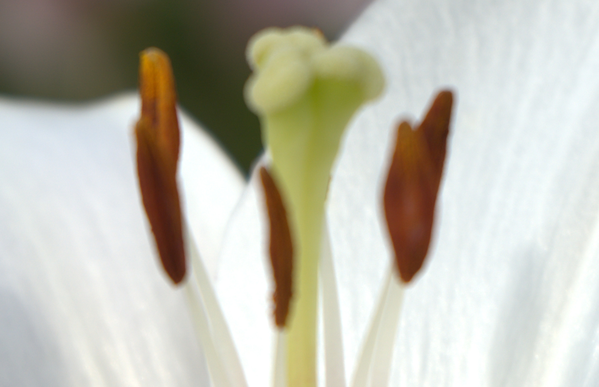
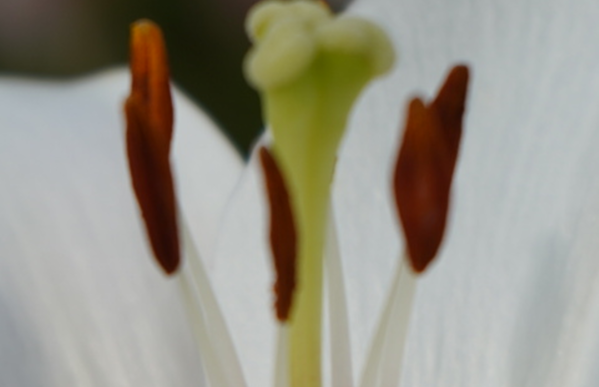
A Sony ARW from an Alpha 7 III, decoded two ways and cropped to the same region. Left: the JPEG the camera itself wrote and embedded in the file, extracted byte for byte. Right: FileFlip's own engine, the ImageMagick WebAssembly build in public/magick.wasm, demosaicing the identical sensor data with no camera color profile applied. The camera's preview is natively 1616×1080 and was enlarged to line up with the crop, so judge the color and contrast, not the fine detail.
The camera's own rendering runs warmer, with more contrast in the background. ImageMagick's generic demosaic is reading the identical sensor values, minus the color science Sony built into that specific camera.
Why can't I convert a JPG file to RAW?
Because a JPEG has already thrown away the two things a raw converter needs: the original per-pixel sensor reading, and the manufacturer's private container format to put it back in.
The bit-depth loss happens once, at the moment a camera or a converter writes a JPEG, and it can't be reversed by writing the file into a different extension afterward. Even if that weren't true, there's nowhere to put the result: Canon never published the CR2 layout, Nikon encrypts part of NEF's maker note, and Sony's undocumented ARW maker-note fields leave third-party readers lagging behind Sony's own software on a brand-new camera body.
FileFlip's own conversion routes confirm this isn't a policy choice either. Every raw format in the registry is readable: true, writable: false, DNG included, which is why the reverse route 404s instead of running.
Is DNG really the exception?
Only in the sense that its container is public. It still can't undo a JPEG.
DNG is Adobe's raw format, openly documented and free to implement, and it became ISO 12234-4 in March 2026. The U.S. Library of Congress lists it as a preferred format for archiving photographs, ahead of any proprietary raw format, and on the order of 200 software products can open one without a camera-specific plugin. Despite the open spec, Canon, Nikon, Sony, Panasonic, Olympus and Fujifilm still don't shoot DNG natively, so FileFlip's own DNG format is readable and not writable too, the same as every proprietary one.
A photo tool can still wrap already-processed pixels into a DNG-shaped container, what Adobe calls a "linear DNG", but that's repackaging, not resurrection. The mosaic sensor data behind a JPEG is already gone, so a linear DNG built from one carries no more editing latitude than the JPEG did.
What should you watch for when converting a RAW file?
That FileFlip's demosaic won't match your camera's, that some raw files are already lossy, and that not every raw file converts at all.
We tested all four of our real camera samples through FileFlip's actual conversion path: the same magick.wasm build the site serves, run directly, and confirmed a second time in the live converter in a browser.
| Format | Raw file we tested | Converted? | JPG it produced |
|---|---|---|---|
| CR2 | 36.5 MB, 50-megapixel Canon EOS 5DS | Failed | none |
| NEF | 18.4 MB, Nikon D3 | Yes, under a second | 3.7 MB |
| ARW | 23.6 MB, Sony Alpha 7 III | Yes, under a second | 3.5 MB |
| DNG | 6.1 MB, Canon EOS 350D | Yes, under a second | 1.7 MB |
The 5DS file failed both times, with FileFlip reporting it as a file that couldn't be converted rather than freezing or timing out. Treat that as a single data point, not a verdict on every high-resolution CR2, since we only had the one 50-megapixel sample to test. The other three converted cleanly and produced a JPG between three and seven times smaller than the raw file it came from.
Keep your original raw file regardless of which way a conversion goes. A repack into DNG is close to free to redo, but a re-encode to JPG only keeps what the new format needs, the same one-way trade every conversion makes, and nothing rebuilds a discarded sensor reading afterward.
Common questions
Does converting RAW to DNG lose anything?
Not the sensor data. What can go missing is manufacturer-specific metadata, such as a Canon Picture Style or a Nikon Picture Control setting, that only the original maker's own software reads. Keeping the source raw file alongside the DNG is standard advice for exactly this reason.
Can any desktop software create a real RAW file from a JPEG?
No. Photoshop, Lightroom and every other editor can wrap processed pixels into a DNG-shaped file, but the mosaic sensor readings a real RAW file holds were never recorded for that JPEG in the first place, so there's nothing left to recover.
Why does my camera's own software render a RAW file differently than an online converter?
Because color rendering is a choice, not a fixed calculation. Canon's Digital Photo Professional, Nikon's NX Studio and Sony's Imaging Edge each apply that manufacturer's own color science and the camera's picture-style settings on top of the same sensor data a generic decoder like ImageMagick demosaics with its own defaults instead.
Convert between them
FileFlip converts CR2, NEF, ARW and DNG to JPG entirely inside your browser, on a WebAssembly build of ImageMagick. The file never leaves your machine, there's no account and no upload. Open Advanced options before you convert if you want to set the JPEG quality yourself, since this is the one time a lossy encoder ever touches that sensor data.
How we measured this
- Samples: one real, unmodified camera raw file per format, a Canon EOS 5DS CR2, a Nikon D3 NEF, a Sony Alpha 7 III ARW, and a DNG converted from a Canon EOS 350D, obtained for testing rather than shot ourselves.
- File structure and metadata: read with
dcraw9.28,dcraw -i -v <file>for the sensor filter pattern, dimensions and camera multipliers,dcraw -e -c <file>to extract each file's embedded preview JPEG without re-encoding it. - Conversion test: each sample run through
@imagemagick/magick-wasm, initialized against the exactmagick.wasmFileFlip serves frompublic/, in Node, timed withperformance.now(). The ARW result and the CR2 failure were each confirmed a second time by uploading the same files to FileFlip's live CR2 and ARW converter pages in a browser. - Compare figure: the ARW's embedded preview (1616×1080) was scaled to the full decode's 6024×4024 so the same pixel region could be cropped from both, then both crops were scaled down together to 599×387 for the figure. Nothing was re-encoded beyond that resize.
- Caveat: we had one sample per format, not a corpus, so the CR2 failure documents one file's behavior, not a general size threshold, and the demosaic comparison covers one camera's color science against ImageMagick's defaults, not every manufacturer's.