An alpha channel is a fourth number stored per pixel, from 0 to 255, saying how much of whatever's underneath should show through. We tested what happens when a converter drops that number: saving a transparent PNG as JPEG doesn't paint in white or black on purpose. It keeps whatever colour was already sitting in the pixel, and that can be a colour you'd never recognise as your logo.
Which image formats support transparency?
PNG, WebP, AVIF, TIFF and GIF can all store it. JPEG can't, at any quality setting, in any variant of the format.
- Use PNG, WebP or AVIF for a logo, icon or graphic with a soft, anti-aliased edge. Convert PNG to WebP and the alpha channel survives at a smaller file size than the PNG it came from.
- Use GIF only when the edges are already hard, a flat icon with no anti-aliasing, because GIF's transparency has no in-between state.
- Never rely on JPEG. There's no setting that adds a fourth channel to a format that was never built to hold one.
| Format | Transparency | What kind |
|---|---|---|
| PNG | Yes | Full range, one value per pixel |
| WebP | Yes | Full range, in both lossy and lossless mode |
| AVIF | Yes | Full range |
| TIFF | Yes | Full range |
| GIF | Yes | One palette colour marked transparent, nothing in between |
| JPEG | No | No alpha channel at all |
What does an alpha channel actually store?
A number from 0 to 255 attached to every pixel, sitting right alongside its red, green and blue values, that says how much of whatever's behind it should show through when the image gets drawn.
Zero is fully transparent, and the maximum value is fully opaque, and everything between blends the pixel with whatever it's placed over, a checkerboard in an editor, another layer, a browser background. PNG, WebP, AVIF and TIFF all store that number directly, one per pixel, which is what lets a shadow fade smoothly into nothing or a circle's edge soften over a few pixels rather than cutting off sharply. GIF works differently under the hood: instead of a value per pixel, one entry in its 256-colour palette gets flagged as "transparent" in the file's Graphic Control Extension, and any pixel using that palette index is skipped entirely while every other pixel is drawn at full opacity. There's no partial credit. That distinction is the whole difference between the next two sections.
What's the difference between binary transparency and real alpha?
Real alpha keeps every step between transparent and opaque; GIF keeps two.
We built a 400×400 test logo, a solid circle with an 8-pixel feathered edge, and measured how many distinct alpha values sat along that edge. The source PNG held 256, the full 8-bit range. Saved as WebP, AVIF or TIFF, all 256 survived. Saved as GIF, the same edge collapsed to exactly 2: fully transparent or fully opaque.
| Format | Distinct alpha values on the same edge |
|---|---|
| PNG (source) | 256 |
| WebP | 256 |
| AVIF | 256 |
| TIFF | 256 |
| GIF | 2 |

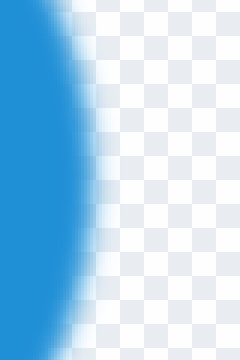
Same 400 by 400 test image, only the target format differs. The PNG's feathered edge blends over several pixels; the GIF's edge jumps straight from opaque to gone, because a palette index has no partial setting. Magnified 3x from a 90 by 120 pixel crop.
Nothing you do after saving a GIF brings that edge back. Converting the GIF onward to PNG or WebP carries the jagged edge along, because the softness was never recorded in the first place.
That gap traces back to the same limit covered in palettes, indexed colour, and dithering: GIF's pixels are indexes into a 256-colour palette, and a palette slot is either the transparent one or it isn't, with nothing in between. It's also the reason WebP and AVIF are worth a second look if the file needs to move, not just sit still: both can hold real alpha and animation at once, covered in animation in an image file.
What happens the moment you save a transparent PNG as a JPEG?
The alpha channel is deleted, and whatever colour was already stored underneath it becomes visible.
FileFlip's image conversion calls ImageMagick's write function with a quality setting and nothing else, no background colour, no explicit flatten step. On a logo drawn on a blank canvas, that colour is black, because a new transparent canvas starts at RGB (0,0,0) by default in most editors. Nothing guarantees black specifically, though.
We built a second test file where the "hidden" pixels outside the logo shape held a real colour gradient instead, the way a non-destructive layer mask in Photoshop or GIMP leaves a hidden layer's pixels untouched rather than deleting them. Converted with no background set, the 400×400 file came out 5,490 bytes, and the logo shape vanished completely: every pixel, inside the circle and outside it, decoded to the same continuous gradient, because alpha had been the only thing telling them apart.
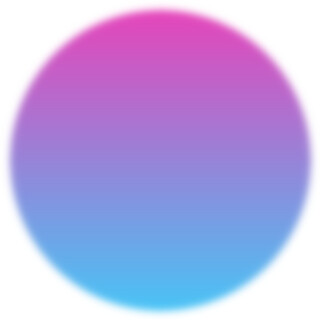

Same source PNG, same ImageMagick build FileFlip runs, quality 90 on both. The circle logo on the left is not faint or discoloured, it's gone: the gradient that was hidden outside the shape is identical to the gradient that was visible inside it. Cropped to the logo's 320 by 320 pixel bounding box, not magnified.
How do you choose the background colour when you flatten transparency?
By setting it yourself before you convert, because nothing else will.
Matting means compositing a transparent image onto a solid colour before the alpha channel is thrown away, and it's what makes the difference between the white-background JPEG above and the invisible one next to it. FileFlip's Advanced options control quality and maximum dimensions for an image conversion, not a background colour, so a PNG or PSD headed to JPEG comes out however its own pixels were left. If you're exporting a logo out of Photoshop and the destination matters, flatten it onto the colour you actually want inside Photoshop first, or convert PSD to PNG instead and keep the alpha channel intact rather than guessing at a JPEG background. PNG has room for the fourth channel; JPEG never will.
Which format should you pick for a logo?
PNG if it has to open correctly everywhere without question, WebP if it's going on a site you control and the smaller file size matters.
AVIF supports the same real alpha channel and compresses harder still, but Photoshop and older image viewers can be slower to open it than WebP, so it's the pick when the destination is a modern browser specifically. Convert PNG to AVIF once you've confirmed that's where the file is headed.
| PNG | WEBP | AVIF | JPG | |
|---|---|---|---|---|
| Compression | Lossless only | Lossy or lossless | Lossy or lossless | Lossy only |
| Transparency (alpha channel) | Yes | Yes | Yes | No |
| Animation | No | Yes | Yes | No |
| Lossless compression | Yes | Yes | Yes | No |
| Embedded metadata | Yes | Yes | Yes | Yes |
| Colour profiles | Yes | Yes | Yes | Yes |
| Released | 1996 | 2010 | 2019 | 1992 |
| Developer | PNG Development Group | Alliance for Open Media | Joint Photographic Experts Group |
What should you watch for when transparency is involved?
Flattening only goes one way. Once a file is matted onto a background and saved as JPEG, that copy has no alpha channel left to recover, the same one-way trip covered in what a conversion actually costs you. Keep a PNG, WebP or AVIF original if there's any chance you'll need the transparency again.
A checkerboard in your editor isn't in the file. It's how the app chooses to draw "nothing here," and two apps can render the same transparent PNG against different defaults. The file itself needs a plan for what sits behind it, not just a flag saying it's see-through.
Common questions
Does GIF support transparency?
Yes, but only as an on-off switch per pixel. A GIF can't hold the soft edge a PNG can, which is what the 2-versus-256 measurement above shows directly, and converting a GIF onward to another format doesn't add that softness back, since it was never recorded.
Can a JPEG file have a transparent background?
No. JPEG stores red, green and blue per pixel and nothing else, at any quality setting or in any JPEG variant. Save the file as PNG, WebP or AVIF if you need transparency.
Why does my logo turn into a solid box when I save it as JPEG?
Because the alpha channel that made part of it see-through gets stripped, and whatever colour happens to be stored underneath is what's left. Most design tools start a blank canvas at black, so the box is usually black; our own test with a hidden colour gradient produced a box in that colour instead, and in one case no visible box at all.
Does WebP support transparency in lossy mode, or only lossless?
Both. A lossy WebP file can carry an optional ALPH chunk alongside its compressed picture data specifically for this, so you don't have to give up WebP's smaller lossy files to keep an alpha channel. See WebP vs JPG for how that lossy compression compares on its own.
Does TIFF support transparency?
Yes, and has for decades, which is one reason it's still common in design and print handoffs. The alpha channel itself does nothing once a file reaches a printer, since paper has no equivalent of "see-through," but TIFF carries it correctly through any step that stays digital.
Convert between them
FileFlip converts PNG to WebP, PNG to AVIF and PSD to PNG inside your browser, on a WebAssembly build of ImageMagick. The file never leaves your machine, there's no account, and nothing is queued on a server. There's no background-colour control in Advanced options, so if a JPEG is the real destination, flatten the file onto the colour you want in an editor before you convert; FileFlip keeps whatever's already there.
For the format details, see the PNG, WebP, AVIF and JPG format references.
How we measured this
- Test image: a 400×400 synthetic PNG, a solid-colour circle with an 8-pixel Gaussian-blurred edge, alpha forced to 8-bit depth. Built in ImageMagick by blurring a black-and-white mask and copying it into a solid-colour base's alpha channel with
-compose CopyOpacity. - Alpha-value count: the same PNG saved to WebP, AVIF, TIFF and GIF with
magick logo.png logo.<ext>, then each file's alpha channel isolated with-channel A -separate +channel -depth 8and its distinct values counted through ImageMagick'shistogram:info:. - JPEG matting test: a second PNG built the same way, except the base layer was a diagonal colour gradient rather than one flat colour, so the pixels outside the visible shape hold real colour instead of black, matching what a non-destructive layer mask leaves behind. Converted to JPEG two ways:
magick logo.png -quality 90 naive.jpg, matching the singleimage.write()call FileFlip's own worker makes with no background set, confirmed by readingsrc/workers/image.worker.ts; andmagick logo.png -background white -alpha remove -quality 90 matted.jpgfor the deliberately flattened version. - Tools: ImageMagick 7.1.2-28 Q16-HDRI on macOS, matching the version cited across our other measured posts and the
@imagemagick/magick-wasm0.0.43 build FileFlip runs. - Caveat: this is a synthetic test image built to isolate the alpha channel cleanly, not a scan of real-world logo files. A real PSD or layered PNG can hide almost any colour under its mask; the mechanism is the same every time, only the exact colour that leaks through will differ file to file.